

The desktop app
Form Studio is a native desktop app for macOS, Windows and Linux, written in Qt Quick on PySide6. The interface and the 3D viewport are drawn on the GPU by Qt; the CAD engine runs in the same process, with the geometry kernel in an isolated worker. There is no browser and no web view.
Install
Download the bundle for your system from the latest release:
| System | File | First launch |
|---|---|---|
| macOS, Apple Silicon | FORM-macos-arm64.zip |
Unzip, then right-click FORM.app › Open |
| macOS, Intel | FORM-macos-x64.zip |
The same |
| Windows 10 and 11 | FORM-windows-x64.zip |
Unzip and run FORM.exe; in SmartScreen choose More info › Run anyway |
| Linux x64 | FORM-linux-x64.tar.gz |
Unpack and run FORM/FORM |
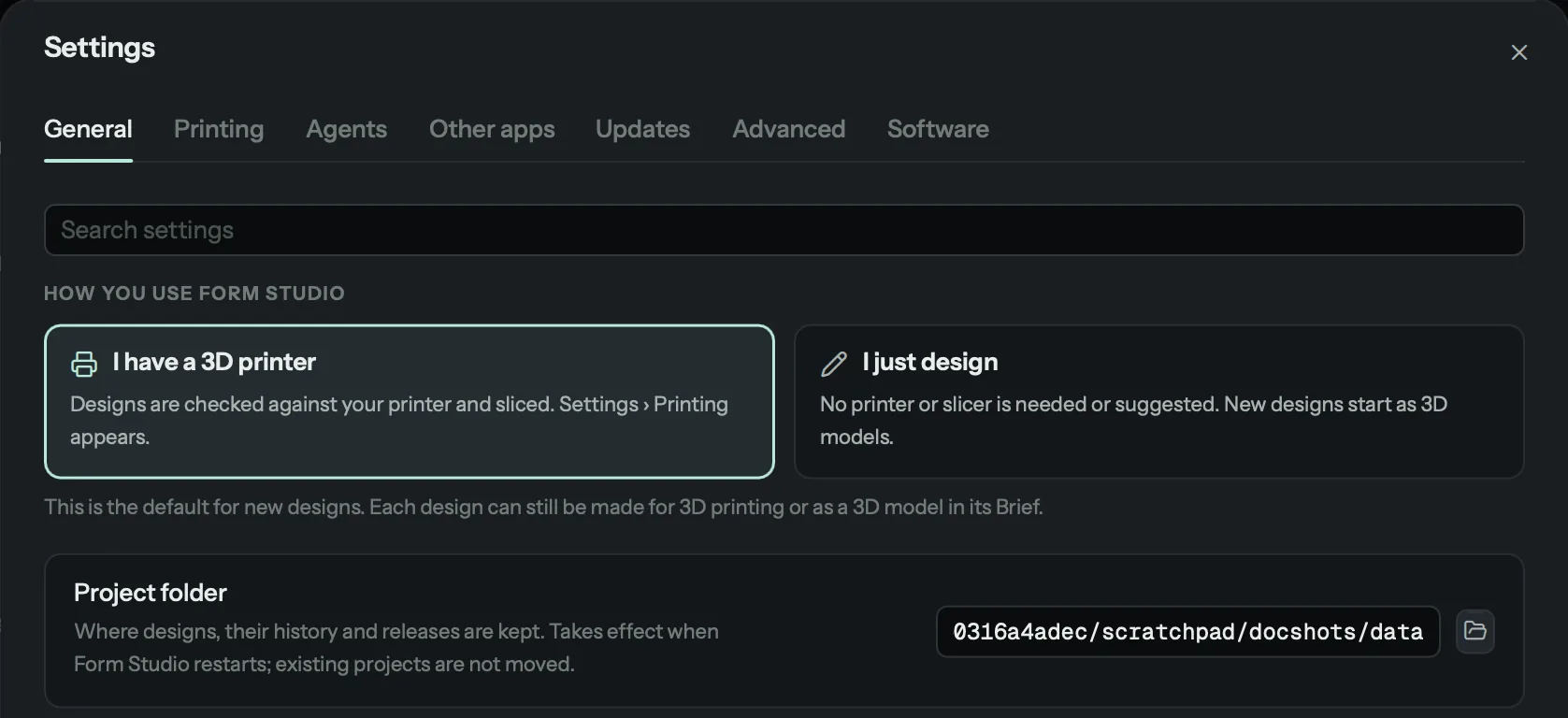
On first start Form Studio asks how you use it ("I have a 3D printer" or "I just design"), then installs what it needs by itself: the standard-parts libraries, a slicer if you print, an agent and its sign-in. It pauses only when you have to sign in or download something, and carries on once that is done. Every command is shown before it runs.
From Python
curl -LsSf https://raw.githubusercontent.com/kaizensx/form-studio/main/install.sh | sh    # macOS and Linux
form app
The script installs uv if it is missing (after asking), then Form Studio with its own
Python 3.12, then runs form setup. On Windows, or to manage the install yourself:
uv tool install --python 3.12 "form-studio[all] @ git+https://github.com/kaizensx/form-studio"
The window
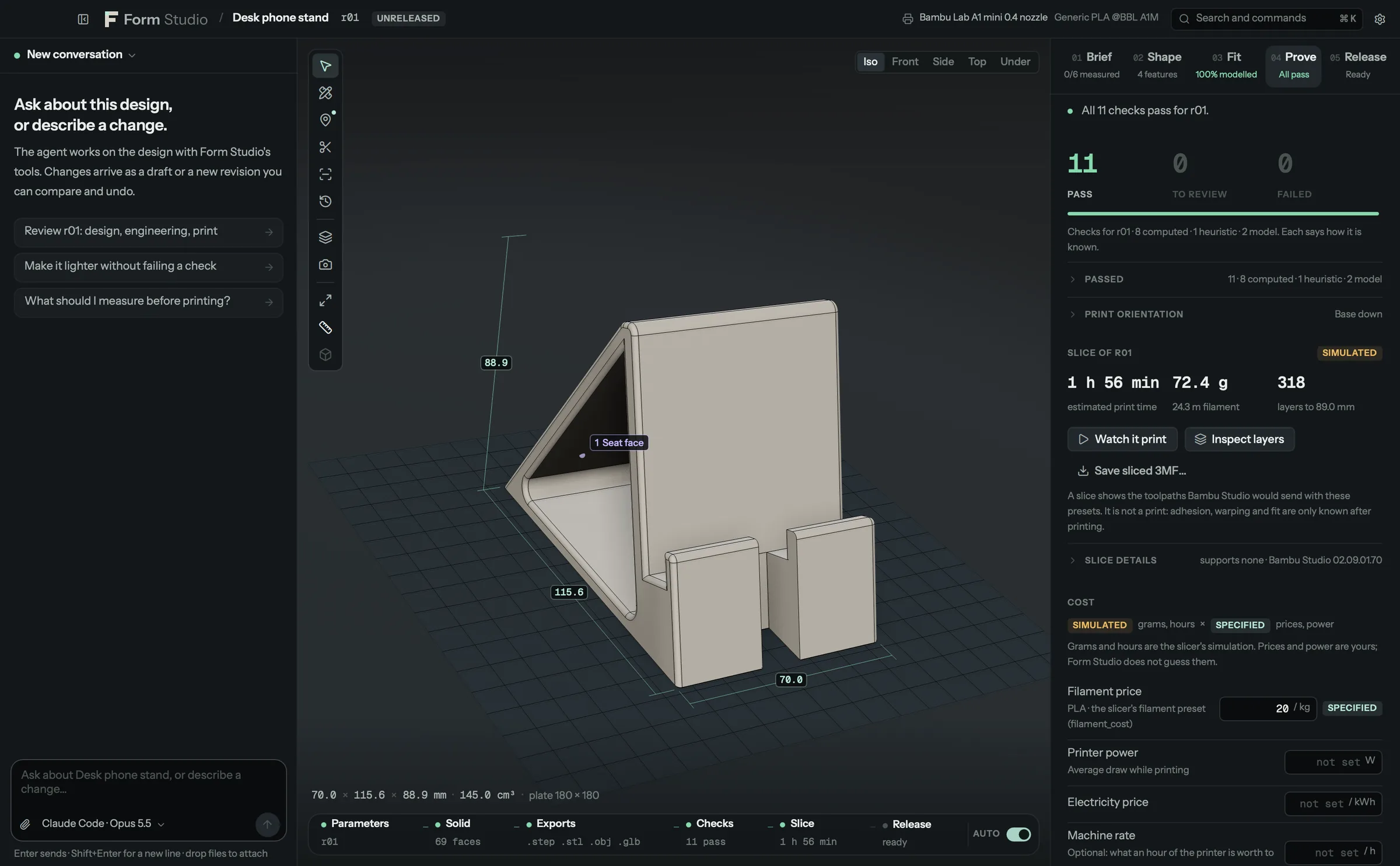
| Area | What it holds |
|---|---|
| Top bar | The design and its revision, release state, its purpose, the printer (or "No printer · Just designing"), search (Ctrl/⌘ K) and Settings. A bar under it names any work that takes longer than 300 ms, with progress |
| Conversation (left) | The agent conversation for this design: messages, the agent's steps, the views it looked at, attachments. Resizable; Ctrl/⌘ J hides it |
| Viewport (centre) | The kernel's geometry, one mesh per feature, with dimensions on the plate. The tool rail on its left edge holds Select, Measure, Annotate, Section, Analyze, Assembly, History, Simulate the print and Photo render |
| Stages (right) | Brief, Shape, Fit, Prove and Release. Each tab shows where it stands: measured values, features, fit yield, checks to review, release readiness |
| Pipeline (bottom) | Parameters › Solid › Exports › Checks › Slice › Release. A node is current only when it describes the revision on screen. A 3D model, or a design that is not sliced, has no Slice step |
The five stages
| Stage | What you do there |
|---|---|
| Brief | What the part is for and its purpose (for 3D printing, or just a 3D model and how it will be made), the dimensions you measured with their provenance, reference photos and imported parts |
| Shape | Features in build order and their parameters. Select a feature on the model or in the list and change it; the draft shows its computed impact before you commit |
| Fit | The fit model for each interface: a section, the clearance, the chance of fitting and how to raise it. Hidden for a 3D model |
| Prove | Every check with its evidence, print orientation, the plates, and the slice: time, filament, layers, Watch it print. A 3D model shows the checks that apply to it and says which do not |
| Release | The release gate, approval (over failed checks only with a reason for each, on the record), the released files with their hashes, and the revision history |
Home
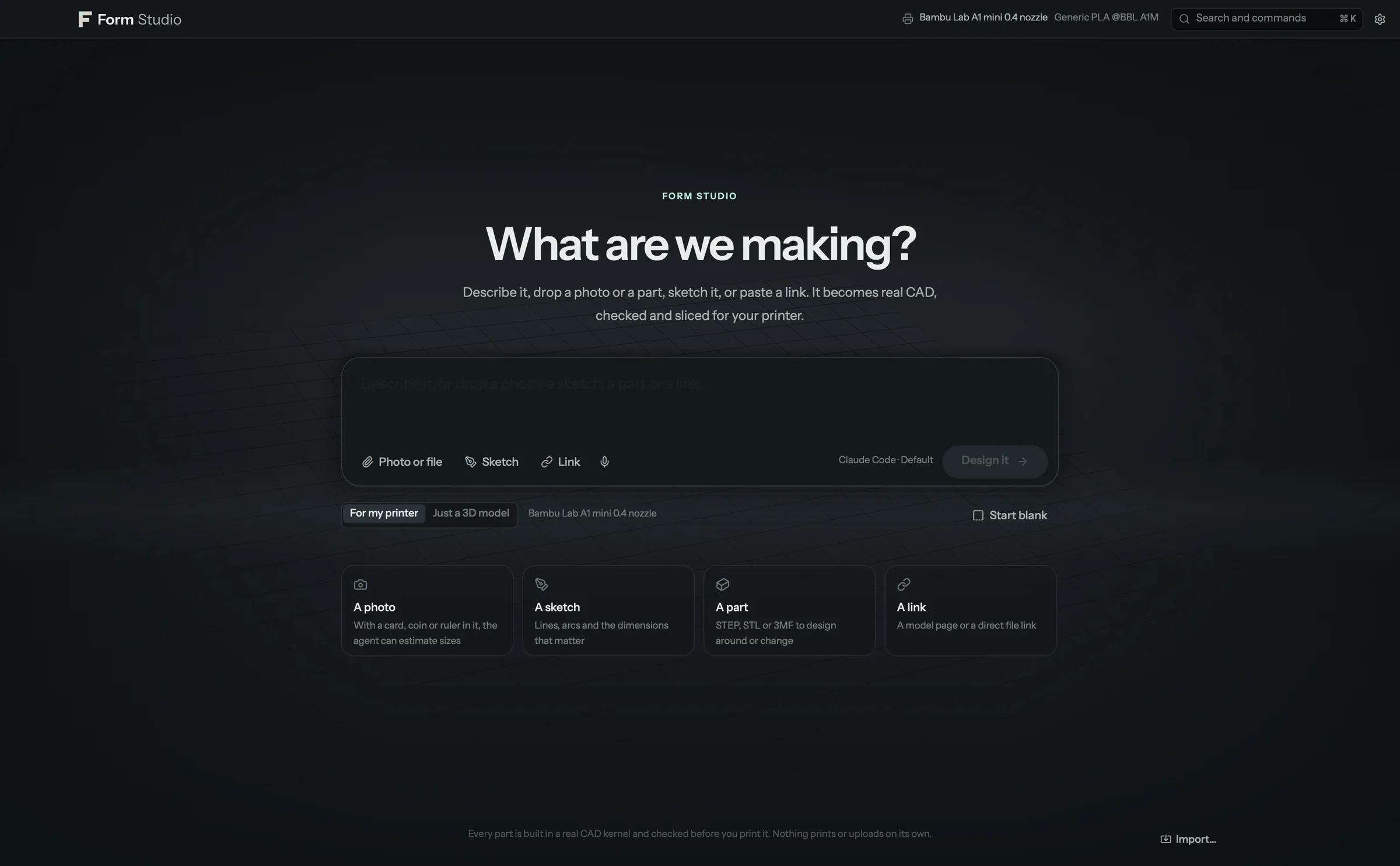
Home is where a design starts. One composer takes whatever you have: words (typed, or spoken with your system's dictation), a photo (with a bank card, a coin or a ruler in it, the agent estimates sizes from it and labels them "estimated from the photo"), a sketch drawn on the sketch pad, a STEP, STL or 3MF part, a PDF drawing, or a link (a model page is passed to the agent as a link; a direct STL, STEP, 3MF, PDF or picture link is downloaded and shown on the composer). Drop files anywhere on Home or paste them. Under the composer: For my printer or Just a 3D model (no slicing, no print checks), and Start blank (an empty design in the workspace, no agent).
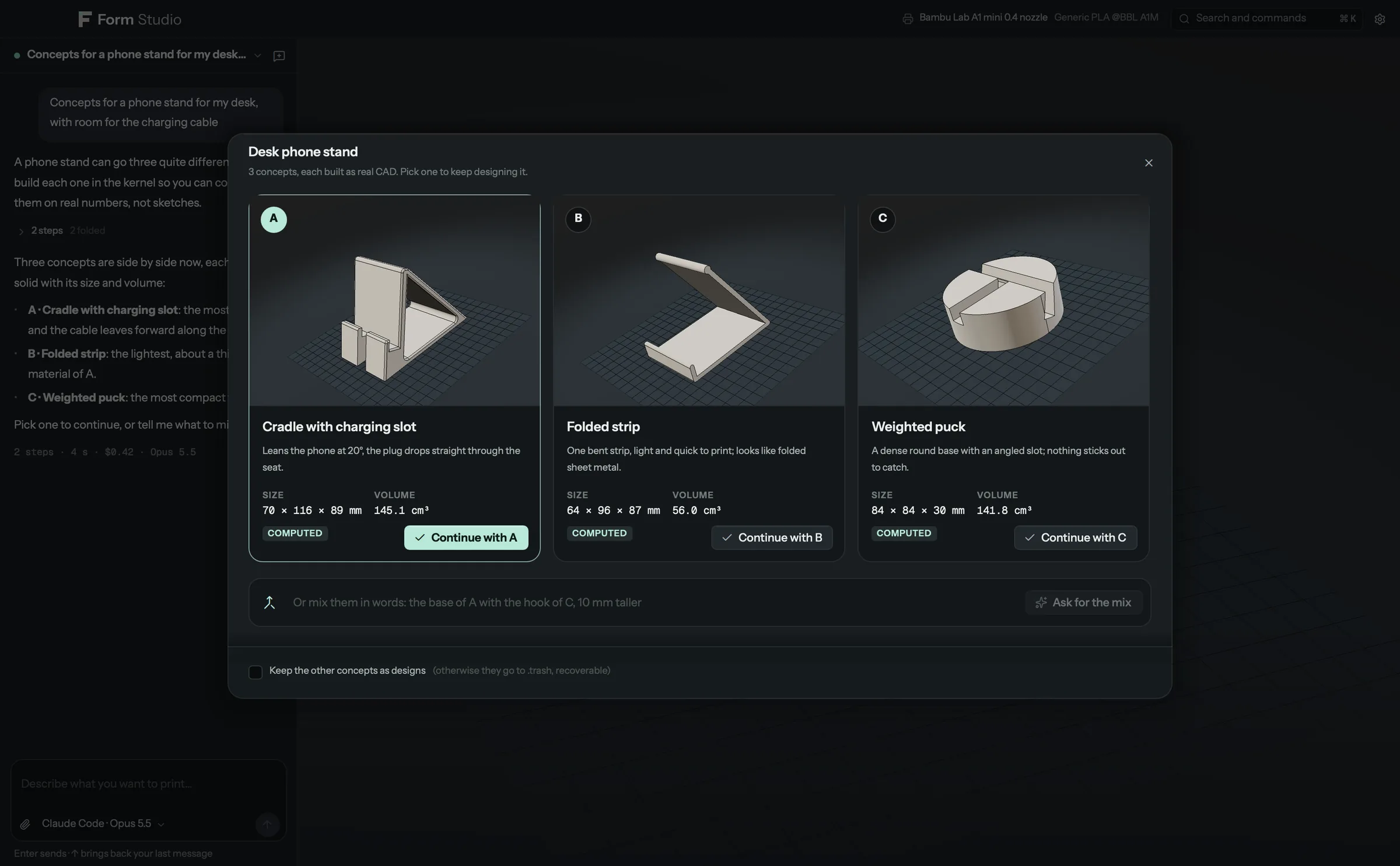
Sending opens the workspace at once in a "being designed" state with what the agent is doing; the design is attached the moment it exists and builds up feature by feature in the viewport, each feature named as it arrives. For a new idea the agent proposes three or four concepts as real CAD, side by side and turning, with a line on each and their computed size and volume: continue with one, or ask in words for a mix ("the base of A with the hook of C"). When it needs a real number, a Measure this card shows where to measure on a picture or a diagram, the tolerance that matters and what the design assumes now; the number you type is committed with how you measured it, and the part updates.
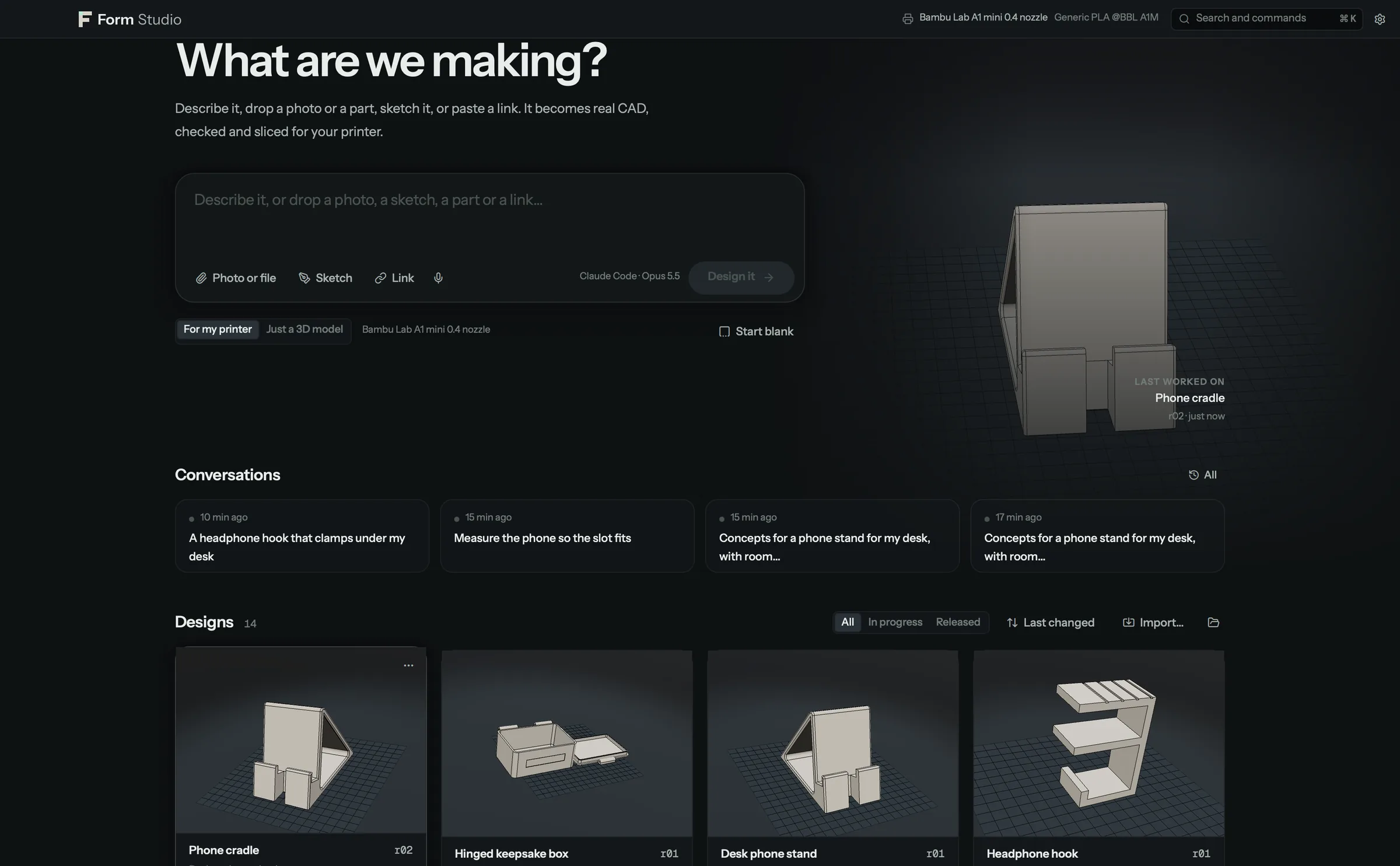
Below: concepts waiting for a pick, recent conversations, and every design as a live 3D card, filtered by released and
in progress and sorted by name or date. Right-click a card to rename, duplicate, export or move it to the trash.
Import (from Home or the command palette) opens a .formstudio or .formproj design, a conversation exported as
JSON, or one of the shipped examples.
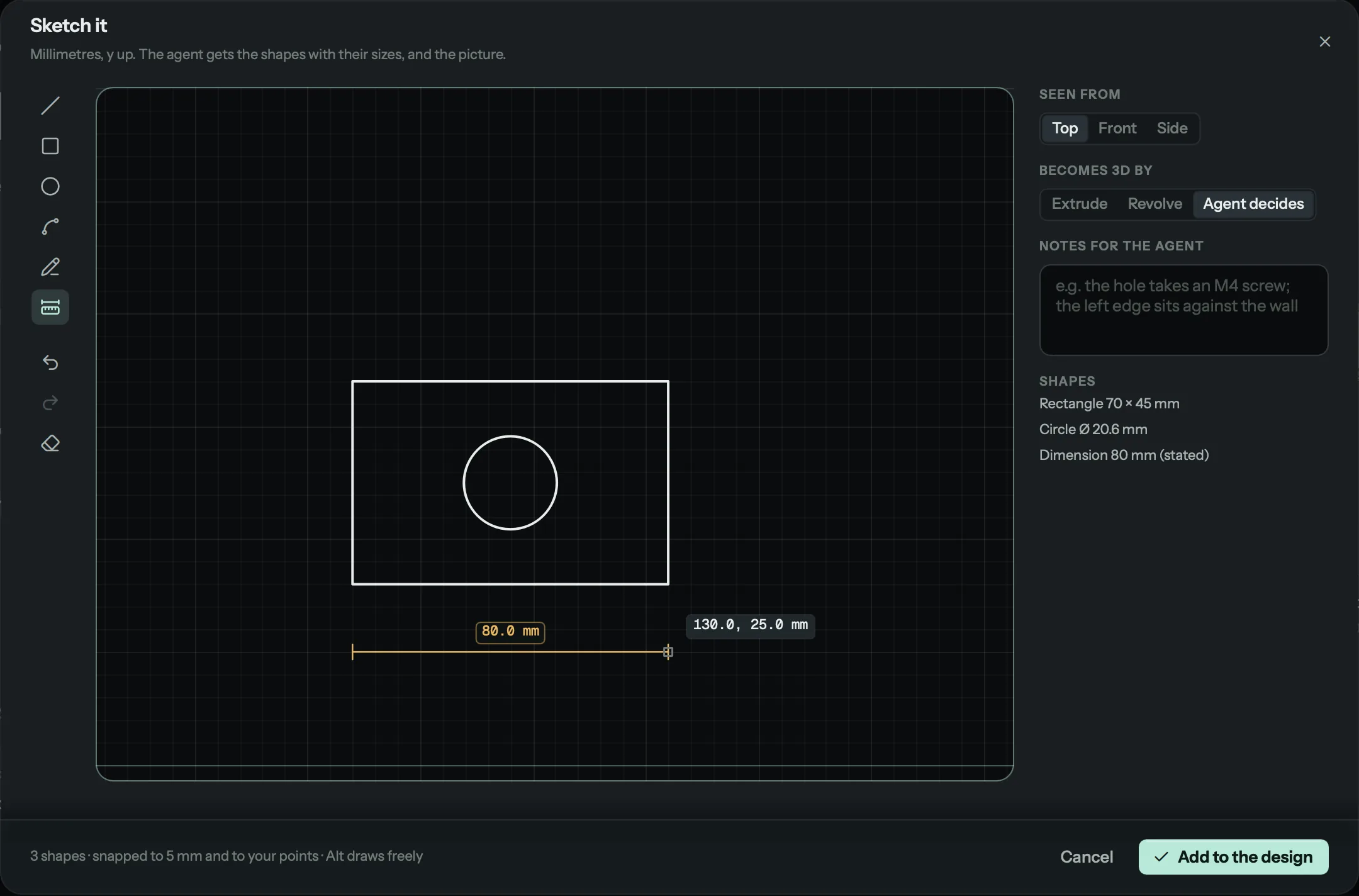
Sketch pad. Lines, rectangles, circles, arcs (centre, start, end), freehand strokes and dimensions, snapped to a 5 mm grid and to the points already drawn (Alt draws freely), with undo and redo. A typed dimension is "stated" and overrides the drawn length. The agent receives the shapes as structured geometry in millimetres and the picture.
Keys
| Key | Does |
|---|---|
| Ctrl/⌘ K | Search and commands: every action and every design |
| Ctrl/⌘ N | New design: Home, with the composer ready |
| Ctrl/⌘ Shift O | New conversation |
| Ctrl/⌘ J | Show or hide the conversation |
| Ctrl/⌘ Shift H | All designs (Home) |
| Ctrl/⌘ , | Settings |
| Ctrl/⌘ 1 to 5 | Brief, Shape, Fit, Prove, Release |
| Ctrl/⌘ Return | Commit the draft |
| ? | All keys |
In the viewport:
| Key | Does |
|---|---|
| V | Select: click a feature, drag to orbit |
| M | Measure distances, faces and diameters |
| X | Section cut on or off |
| N | Annotate: pick, paint or lasso, keep, ask the agent |
| A | Analyze: thickness, overhang and other maps |
| E | Assembly views and joints |
| T | History: the revision timeline |
| F | Frame the selected feature, or the whole part |
| 1 to 5 | Iso, front, side, top and underside views |
| . | Reset the view |
| H / Shift H | Hide the selected feature / show all |
| Esc | Leave the tool or clear the selection |
Drag to orbit, right-drag or Shift-drag to pan, scroll or pinch to zoom. Right-click a feature for quick actions.
While measuring or annotating: D distance, G face, O diameter, R edge, P point, B brush, L lasso, [ and ] brush size, Shift-click adds to the selection, Alt-drag orbits while painting.
In the conversation: Return sends, Shift Return adds a line, Up brings back your last message.
Settings
Settings (Ctrl/⌘ ,) edits studio.toml for you, with a backup of the file. A search box finds any setting, numbers
are checked as you type, every value can be reset to its default, and changes apply at once: choosing the default
printer updates the top bar, the plate and the open design's checks without a restart.
| Tab | Holds |
|---|---|
| General | How you use Form Studio ("I have a 3D printer" or "I just design") and the project folder |
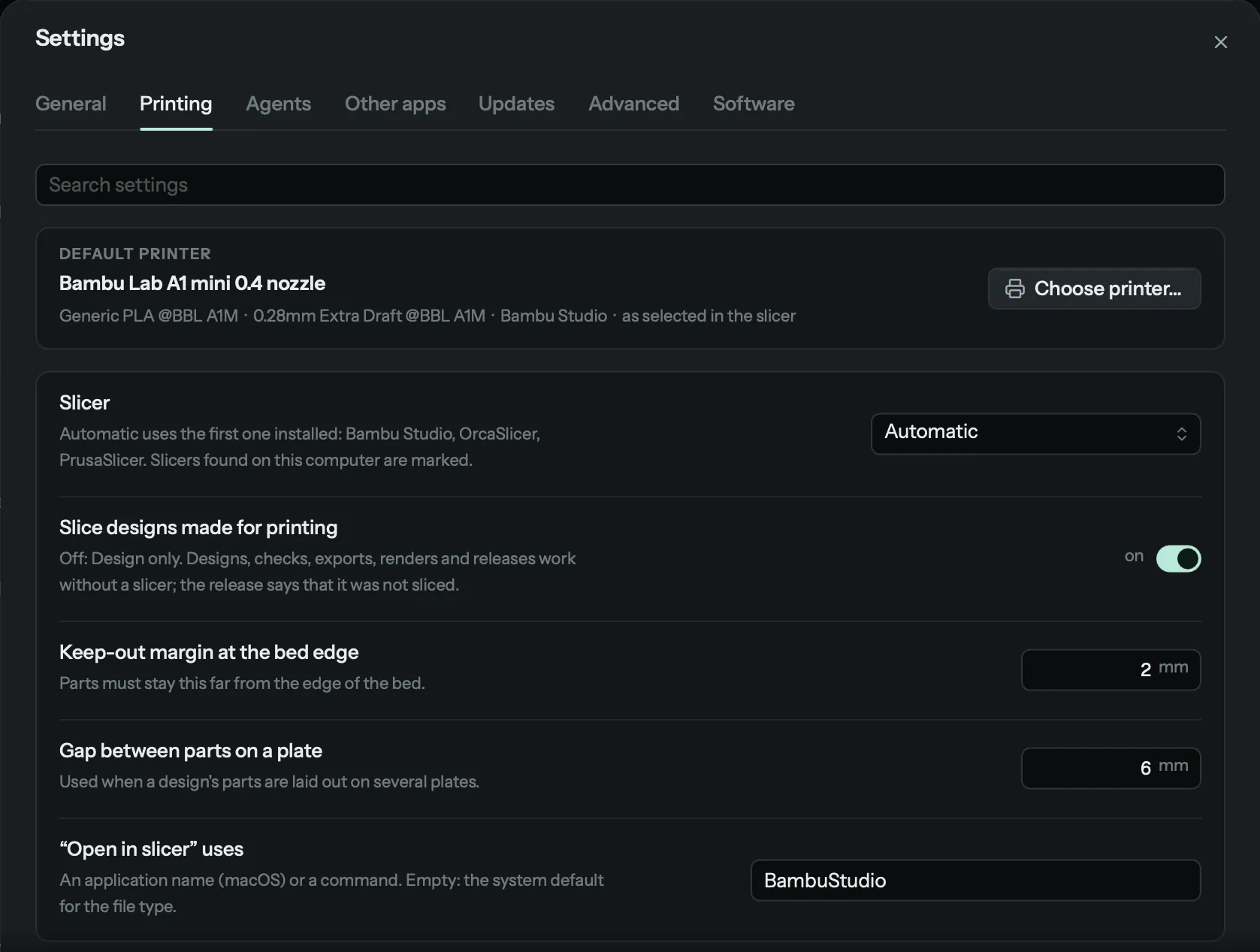
| Printing | The default printer, filament and process, from every printer set up in your slicers; the slicer, and whether designs made for printing are sliced; the keep-out margin and the gap between parts on a plate; which program "Open in slicer" uses. Shown only when you print |
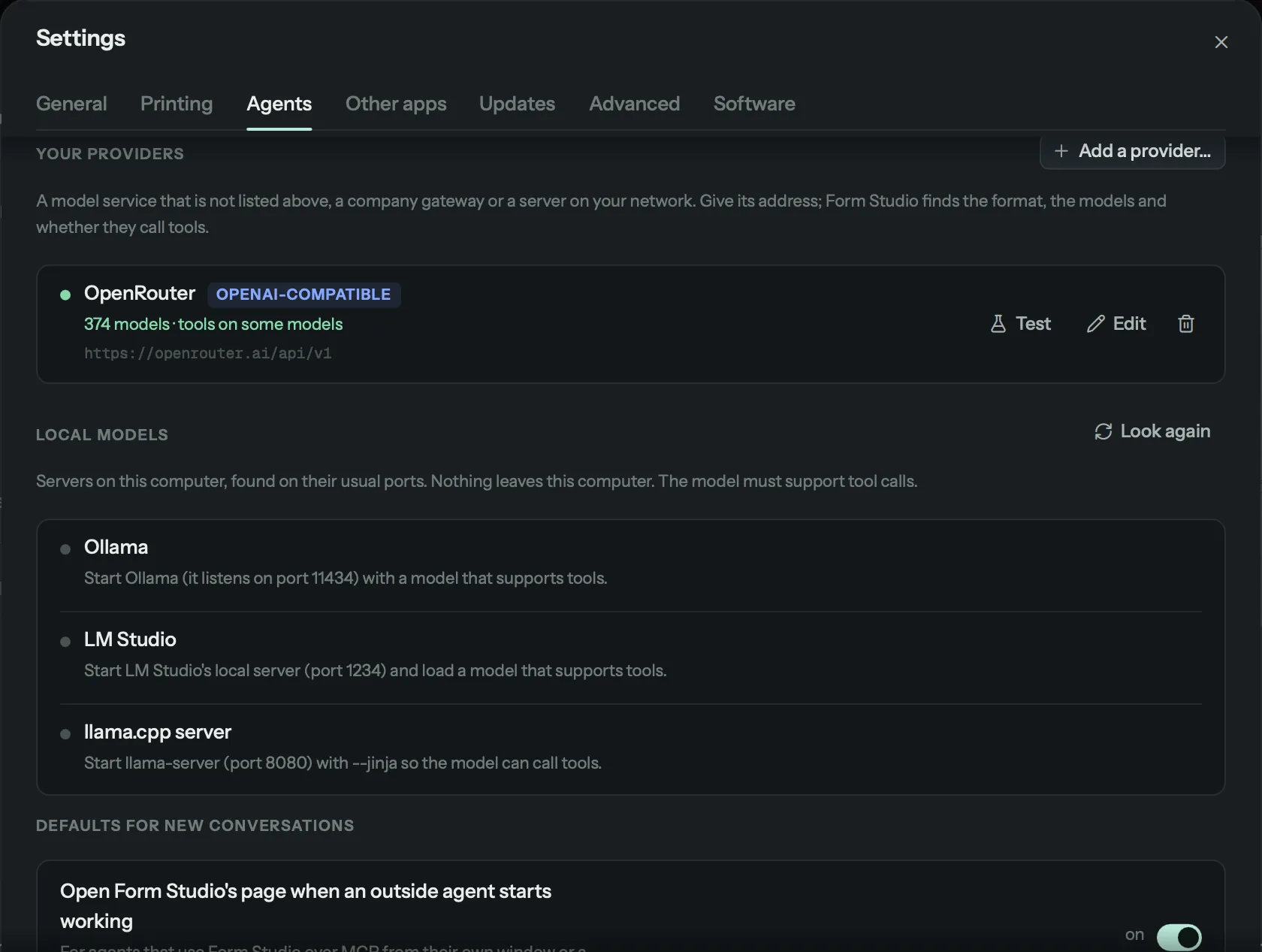
| Agents | Agent apps, model API keys, local models and providers you added, in one list; Add a provider…; the agent, model and effort for new conversations; web lookups; a spending limit per message; opening Form Studio when an outside agent starts working. Keys are stored privately and never shown again |
| Other apps | Blender, OpenSCAD and FreeCAD: whether and where each was found, Browse as a fallback, and what each one unlocks; which programs "Open in CAD" and "Open in viewer" use |
| Updates | The daily check for a newer Form Studio, and the Stable or Preview channel |
| Advanced | The slice time limit, how long the agent waits for your answers, the Claude Code command, and the printer name used when none is chosen |
| Software | Everything Form Studio uses, what is installed, and an Install button for the rest |
Rules the app keeps
- It never starts a print and never uploads a design.
- A slice is labelled simulated, a fit yield modelled, a strength figure a model with its assumptions.
- Only a person approves a release, with a deliberate action in the Release stage.
- The app, the CLI and the MCP server can work on the same project folder at the same time.
Build from source
uv venv --python 3.12 .venv
uv pip install --python .venv -e ".[all]" pyinstaller
.venv/bin/python -m form.app                          # run from source
.venv/bin/pyinstaller packaging/form.spec --noconfirm # build the bundle into dist/
The bundle is about 800 MB unpacked, because it carries the OpenCascade kernel and Qt. Notes for working on the interface: form/app/qml/CONTRIBUTING-UI.md.